

CCTV & Surveillance
CCTV Not Recording? Work Through This Before You Call Anyone
When CCTV stops recording, the cause is usually one of five things: a failed hard disk, a recording schedule that is switched off or set to motion only, a power supply that has aged and can no longer hold up all the cameras, a disk that has filled without overwrite enabled, or a loose cable connector. Check them in that order — the disk is by far the most common.
Key takeaways
- Check the hard disk first. It is the part that is written to continuously and it is the part that fails.
- Missing footage from a particular time of day is almost always a schedule or motion-detection setting, not a fault.
- A camera that works during the day and fails at night is usually a power problem, because infrared draws more current.
- If footage stops at the same point every time, look at the disk overwrite setting before assuming a fault.
- Test your system on an ordinary day. Play back a clip from a week ago once a month and you will never be surprised.
Almost every call we get about missing CCTV footage comes on the worst possible day — after a theft, after an accident, after a dispute — and by then the question has stopped being technical. What follows is the sequence a technician actually works through, in the order that finds the cause fastest. Most of it you can do yourself in fifteen minutes.
The ten checks, in order
1. Does the recorder show the disk at all?
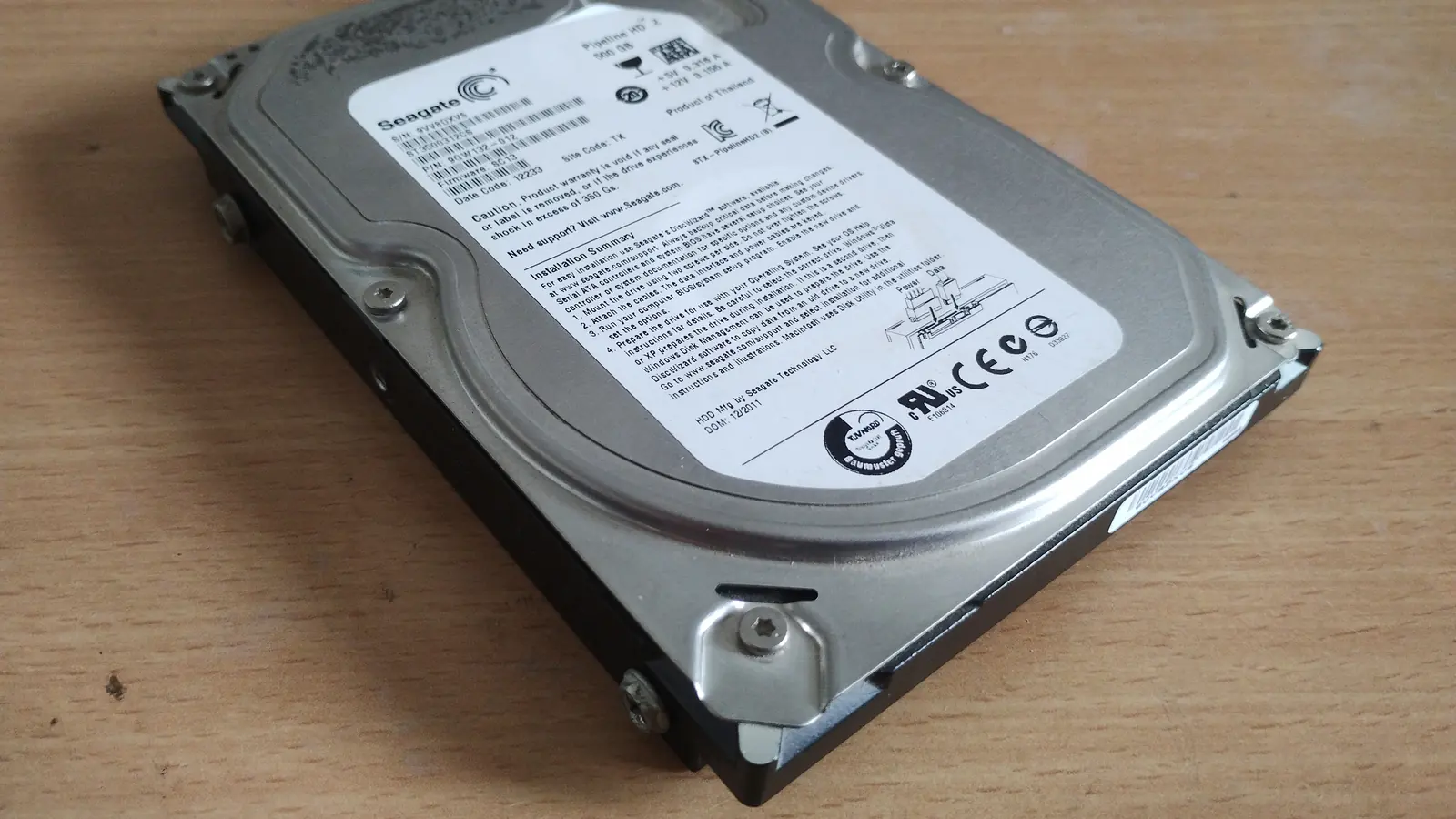
Open the recorder menu and find the storage or HDD page. A healthy disk appears with a total size and a used figure. If it shows as missing, unformatted, 0 MB, or with an error status, you have found the problem and nothing further down this list matters. Disks in DVRs and NVRs are written to continuously, twenty-four hours a day, and they wear out — three to five years is typical, less if the recorder sits somewhere hot and dusty.
2. Is the recording schedule actually on?
Every recorder has a schedule grid — days down one side, hours across the top. It is remarkably easy for this to end up partly blank after a firmware update, a factory reset, or someone exploring the menu. If footage is missing from specific hours rather than entirely, this is the first place to look.
3. Is it set to record on motion instead of continuously?
Motion recording saves disk space and creates a very specific failure: the footage exists, but the seconds before the event are missing, or a slow-moving person did not trigger it, or the sensitivity is too low at night. If you have gaps rather than a total absence, check whether the schedule is set to motion and consider switching the important cameras to continuous.
4. Is the disk full with overwrite disabled?
A recorder is supposed to loop, deleting the oldest footage to make room. If overwrite has been turned off, recording simply stops when the disk fills, and everything after that date is missing while everything before it is intact. If your footage ends on one particular day and never resumes, check this setting.
5. Are the cameras themselves showing a live picture?
If a channel is black or says no signal, the fault is in the camera or the cable, not the recording. Note which channels are affected — one camera points at that camera or its cable; all of them at once points at power or at the recorder.
6. Check the power supply, especially if the problem is at night.
A camera that is fine in daylight and drops out after dark is the classic signature of a power supply running out of headroom, because infrared illumination draws significantly more current. The same happens when cameras have been added over the years to an SMPS that was sized for the original count. Measure the voltage at the far end of the run, not at the box.
7. Reseat the connectors.
BNC connectors work loose, get corroded in damp junction boxes, and are frequently the cause of a camera that works intermittently or shows a rolling, noisy picture. On IP systems, check the network cable is seated properly at both ends and that the PoE switch shows the port as powered.
8. Check the date and time on the recorder.
This one catches people out. If the clock is wrong — often after a long power outage with a dead internal battery — the footage exists but you are searching the wrong date. It also makes exported footage far less useful as evidence.
9. Look at the recorder’s own log.
Every recorder keeps a system log listing reboots, disk errors, video loss events and time changes. It is the closest thing to a black box. A pattern of reboots at the same hour points at power; repeated disk errors confirm a failing disk; video loss events on one channel isolate the fault to that camera.
10. Check for heat and dust.
Recorders installed in cupboards, above false ceilings or behind stock accumulate dust in the fan and cook slowly. Heat shortens disk life dramatically and causes intermittent reboots that look like a dozen other faults. If the box is hot to the touch and the vents are blocked, that is a real finding.
Matching the symptom to the likely cause
| What you are seeing | Most likely cause |
|---|---|
| No footage at all, live view fine | Failed hard disk, or the schedule is off |
| Footage stops on one specific date | Disk full with overwrite disabled |
| Gaps around events | Motion recording, or sensitivity set too low |
| Only the last few days are kept | Disk too small for the number of cameras and resolution |
| One camera black, others fine | That camera, its cable, or its connector |
| All cameras drop out after dark | Power supply lacks headroom for infrared |
| Rolling or noisy picture on one channel | Loose or corroded connector, or voltage drop on a long run |
| Cannot find footage on the right date | Recorder clock wrong, often after an outage |
| System reboots repeatedly | Heat, dust, failing power supply, or a dying disk |
When to stop and call someone
Stop at the point where continuing risks the footage or your safety:
- If the recorder reports a disk error and you have footage on it you need, stop. Do not format, and do not let it keep running. A disk that is failing may still give up its data to someone who knows how to handle it, but not after it has been reformatted.
- If cameras are dropping out and you suspect the power supply, do not start swapping adaptors. Undersized or wrongly polarised power damages cameras.
- If the cable run is outdoors, at height, or near mains wiring, that is a job for someone with a ladder and the right test equipment.
- If the system was installed by someone else and you do not know how it is wired, an hour of an engineer’s time is cheaper than an afternoon of guessing.
How to stop this happening again
- 1Once a month, play back footage from about a week ago on two or three cameras. This takes two minutes and is the only reliable way to know the system is working, because a recorder shows a perfect live picture whether or not it is recording anything.
- 2Once a month, check the storage page for disk errors and confirm the earliest available date is roughly what you expect.
- 3Learn how to export a clip to a pen drive before you need to. Doing it for the first time under pressure, with the police waiting, is not the moment.
- 4Fit backup power to the recorder and to the camera supply, so an outage does not create a hole in the record.
- 5Plan to replace the hard disk every three to five years as a maintenance item rather than waiting for it to fail.
- 6Change the recorder’s default password, and do not expose it directly to the internet without knowing what you are doing.
- 7Keep a maintenance arrangement in place, so that someone checks the system periodically rather than only after something has gone wrong.
If you are in Udaipur and stuck
Palm Vision Technology repairs and services CCTV systems across Udaipur city and the surrounding district, including systems installed by other suppliers. If footage is missing and it matters, tell us that when you call so we can advise you on preserving what is still there before anything else is touched. Call +91 94141 61245, or message us on WhatsApp.
Questions people ask about this
The follow-up questions we get most often on this subject, answered plainly.
Why is my CCTV not recording even though the cameras are working?
A live picture only proves the camera and the cable are fine — it says nothing about recording. The usual causes are a failed hard disk, a recording schedule that has been switched off, motion recording that is not triggering, or a full disk with overwrite disabled. Check the recorder’s storage page first: a disk showing an error, 0 MB or missing is the most common single cause.
How long does a CCTV hard disk last?
Typically three to five years, because a surveillance disk is written to continuously around the clock. Heat and dust shorten that considerably, so a recorder in a closed cupboard will not last as long as one with airflow. It is sensible to treat the disk as a maintenance item and replace it on schedule rather than waiting for it to fail.
My CCTV footage stops on one particular date. What happened?
That pattern almost always means the disk filled up and the overwrite setting is disabled, so the recorder stopped instead of looping and deleting the oldest footage. Check the recording or storage settings for an overwrite or recycle option. If overwrite is on and the recording still stopped, look at the system log for disk errors on that date.
Why do my CCTV cameras stop working at night?
Infrared illumination draws considerably more current than daytime operation, so cameras that drop out after dark usually indicate a power supply without enough headroom, or voltage drop on a long cable run. This is very common where cameras have been added over the years to a power supply sized for the original number.
Can lost CCTV footage be recovered?
Sometimes, if the disk is failing rather than already overwritten, and only if the system is stopped promptly. Once the recorder has looped over a period, it is gone. If the footage matters, do not reformat the disk and do not leave the system running — that is the point at which recovery stops being possible.
Do you repair CCTV systems installed by someone else?
Yes. Palm Vision Technology services and repairs CCTV systems across Udaipur regardless of who installed them, and we take on maintenance for systems we did not originally fit. Call +91 94141 61245 and describe the symptom.